Payments
AppBoost includes a complete payment system powered by RevenueCat, with a pre-built paywall screen for subscriptions and in-app purchases.
Setup RevenueCat
Before using payments, you need to configure RevenueCat. See the RevenueCat Configuration guide for complete setup instructions.
Paywall Screen
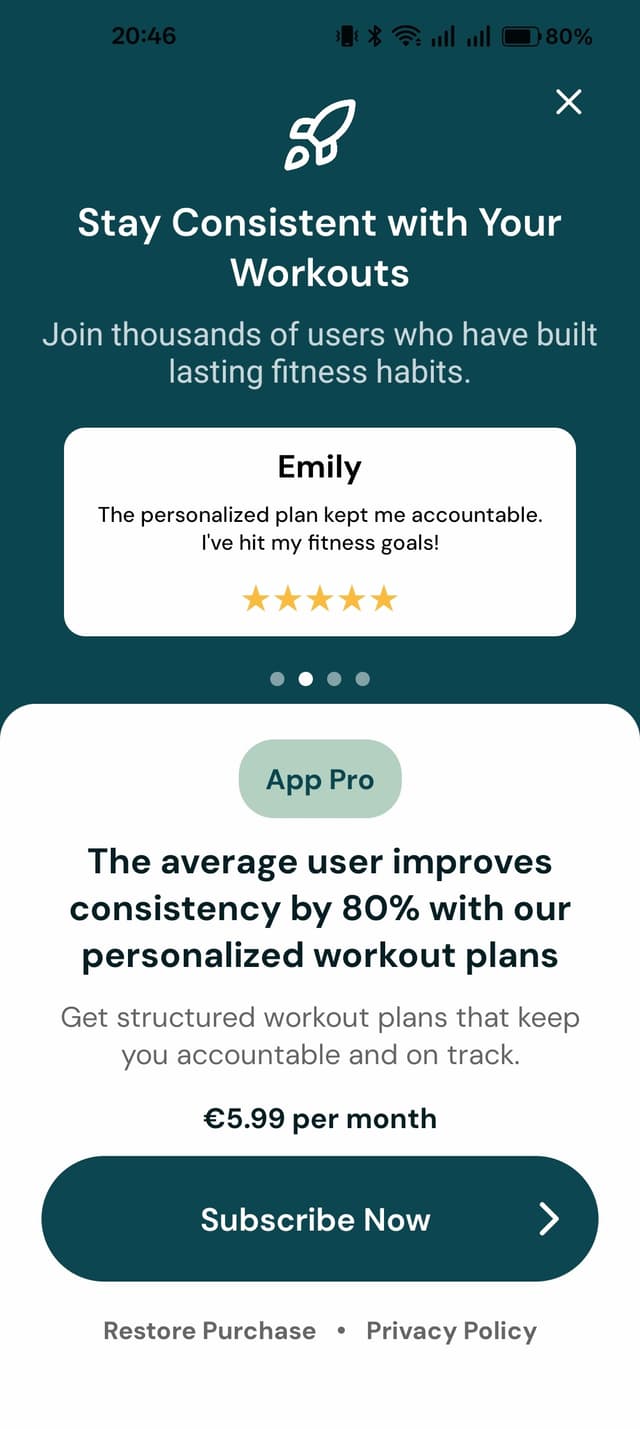
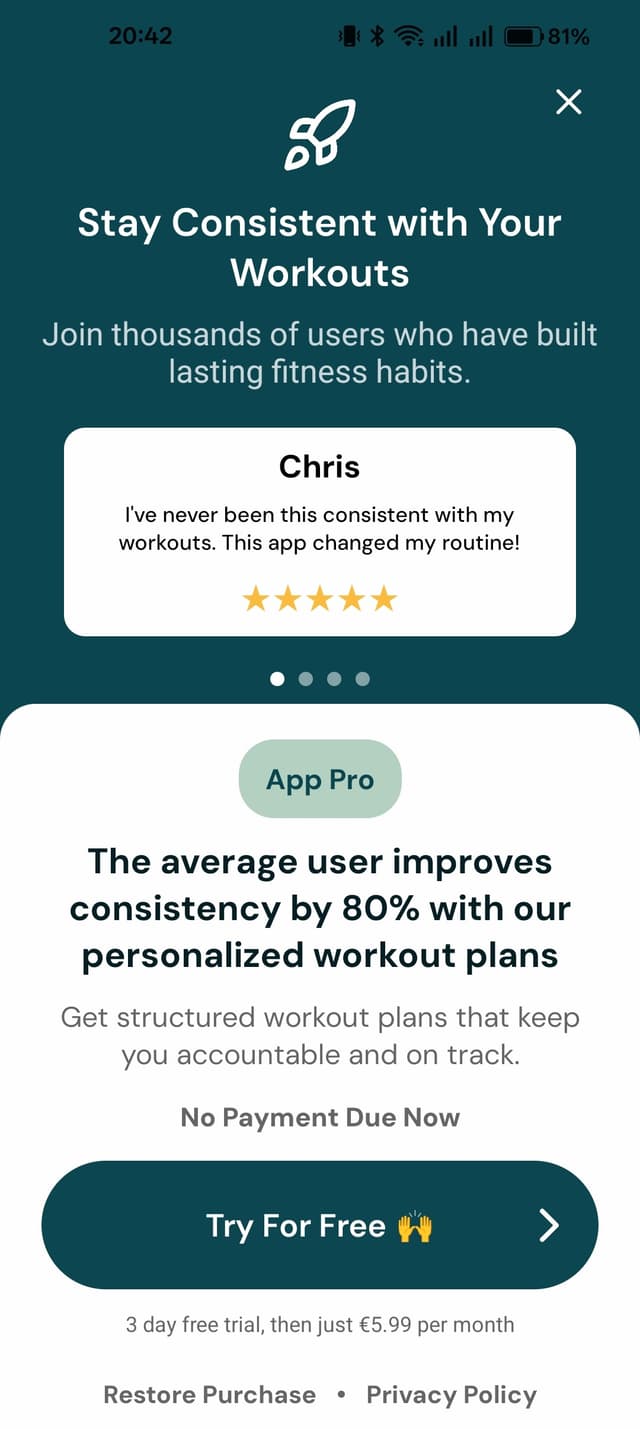
Paywall Configuration (config/paywall.js)
- Promo Texts: Set
headerMainPromo,headerSubPromo,footerMainPromo, andfooterSubPromo. - Subscription Title: Change
subscriptionTitle. - Closable Option: Set
isClosabletotrueorfalse. This can make it a hard paywall after onboarding for example. - Purchase Complete Action: Modify
onPurchaseCompletefor post-purchase navigation. - Add Testimonials: Update
Testimonialsarray with user reviews.
Example (paywall.js)
import { router } from "expo-router";

const paywallConfig = {
  headerMainPromo: "Stay Consistent with Your Workouts",
  headerSubPromo: "Join thousands of users who have built lasting fitness habits.",
  subscriptionTitle: "App Pro",
  footerMainPromo: "The average user improves consistency by 80% with our personalized workout plans",
  footerSubPromo: "Get structured workout plans that keep you accountable and on track.",
  isClosable: true,
  onPurchaseComplete: () => {
    router.back()
  },
}

const Testimonials = [
  {name: "Chris", text: "I've never been this consistent with my workouts. This app changed my routine!", rating: 5,},
  {name: "Emily", text: "The personalized plan kept me accountable. I've hit my fitness goals!", rating: 5,},
  {name: "James", text: "Tracking my progress kept me motivated. I feel stronger every week!", rating: 5,},
  {name: "Sophia", text: "The results speak for themselves. This app is worth every penny!", rating: 5,},
];

export { paywallConfig, Testimonials };
Paywall Types
AppBoost supports two paywall options via paywallType in config/revenueCat.js:
| Type | Description |
|---|---|
'code' | Default. Custom paywall built with React Native, fully customizable via config |
'remote' | RevenueCat’s remote paywall - design in RevenueCat dashboard, no code changes needed |
Usage
Use the usePaywall hook for automatic paywall selection:
import { usePaywall } from "../hooks/usePaywall";

const { showPaywall } = usePaywall();

// Shows correct paywall based on config
<Button onPress={showPaywall} title="Upgrade" />
Or navigate directly to the code paywall:
onPress={() => router.push("paywall")}Implementing Premium-Only Features
There are two ways to restrict features to premium users:
1. Premium-Only Actions
Gate an action (like generating AI content or exporting data) behind a premium check:
import { useRevenueCat } from "../providers/RevenueCatProvider";

const MyScreen = () => {
  const { user } = useRevenueCat();

  const handlePremiumAction = () => {
    if (!user.isPremium) {
      router.push("paywall");
      return;
    }
    // Perform the premium action
    generateAIContent();
  };

  return (
    <Button onPress={handlePremiumAction} title="Generate with AI" />
  );
};
2. Premium-Only Screens
Redirect to the paywall when a user tries to navigate to a premium screen:
import { useRevenueCat } from "../providers/RevenueCatProvider";

const MyScreen = () => {
  const { user } = useRevenueCat();

  const handlePremiumScreen = () => {
    if (!user.isPremium) {
      router.push("paywall");
      return;
    }
    router.push("premium-feature");
  };

  return (
    <Button onPress={handlePremiumScreen} title="Advanced Analytics" />
  );
};