Authentication
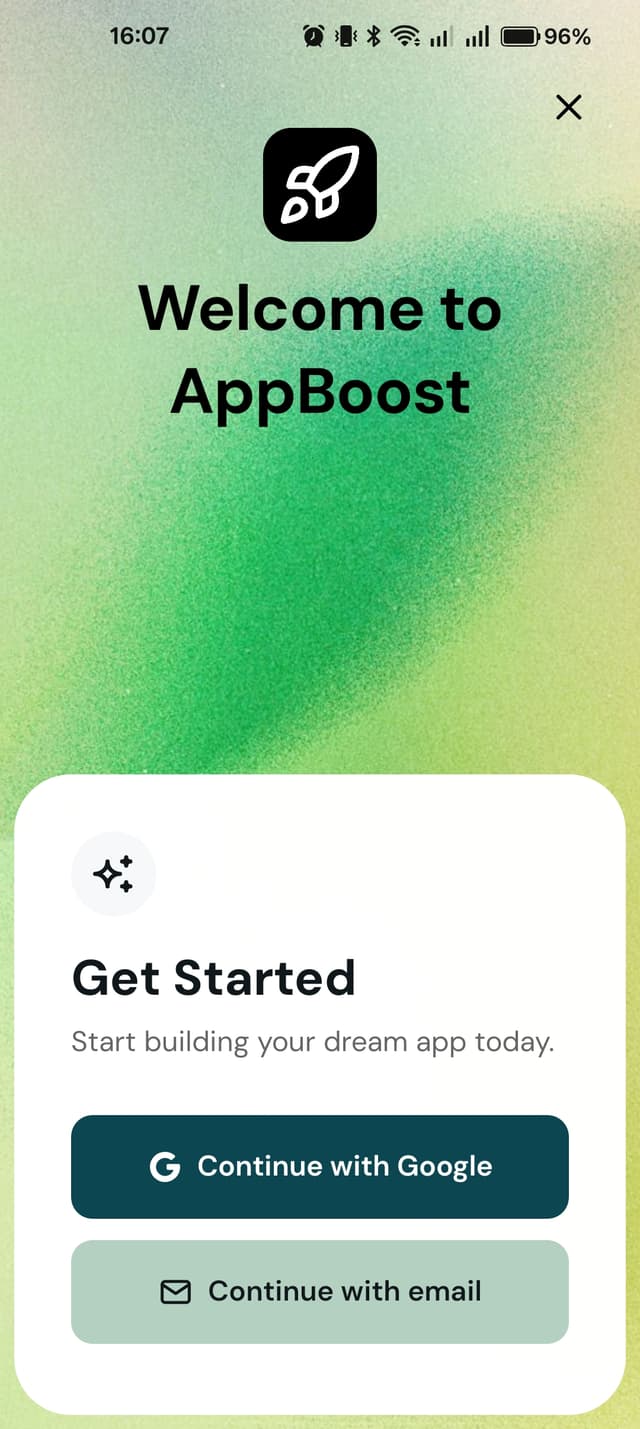
AppBoost includes a complete authentication system with magic links and Google OAuth powered by Supabase.
Features
- Magic Links - Passwordless email authentication
- Google OAuth - Sign in with Google
- Session Persistence - Stay logged in across app restarts
- Pre-built UI - Ready-to-use auth screen
Setup
See Supabase Authentication Configuration for complete setup instructions.
Navigate to Auth Screen
import { useRouter } from 'expo-router';

const router = useRouter();
router.push('auth');
Auth Screen Configuration (config/auth.js)
- Closable Option: Set
isClosabletotrueorfalse. Whenfalse, users must log in (hard login screen). - Login Title: Customize with
loginTitle. - Login Subtitle: Customize with
loginSubtitle. - Redirect After Login: Set where users go after successful login with
redirectAfterLogin.
Example (auth.js)
const authConfig = {
  isClosable: false,              // Hard login screen (users can't close and must log in)
  loginTitle: "Get Started",
  loginSubtitle: "Start building your dream app today.",
  redirectAfterLogin: "/(tabs)", // Where to go after login
};

export { authConfig };
Usage
Display the auth screen when users need to log in:
import { useRouter } from 'expo-router';

const router = useRouter();

// Navigate to auth screen
router.push('auth');
Check Auth State
import { useAuth } from '@/contexts/AuthContext';

const { user, isLoading } = useAuth();

if (isLoading) {
  return <LoadingScreen />;
}

if (!user) {
  // User is not logged in
  router.push('auth');
}